
Download Full CX – AI‑Powered Product Management Tool for Faster Development
Overview
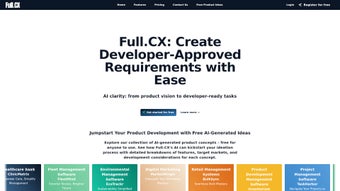
Full CX is a web‑based, AI‑enhanced product management platform designed to streamline every stage of the product lifecycle, from the initial spark of an idea through to the final release and post‑launch analysis. Leveraging OpenAI’s GPT‑3 and GPT‑4 models, the system automatically converts raw brainstorming notes into structured requirements, complete with acceptance criteria, user personas, and even press‑ready announcements. The interface is intentionally clean and intuitive, allowing product managers, technology leads, and cross‑functional teams of any technical background to navigate without a steep learning curve.
By embedding AI assistance directly into the workflow, Full CX reduces the time spent on repetitive documentation tasks, freeing teams to focus on strategic decision‑making and rapid iteration. Whether you are a lean startup looking for a free tier or a large enterprise needing advanced collaboration features, Full CX offers tiered pricing that scales with team size, making it an accessible yet powerful addition to any product development toolbox. In practice, the platform accelerates requirement gathering, improves stakeholder alignment, and provides measurable gains in delivery speed, all while maintaining high data security standards.
The combination of AI‑driven content creation, real‑time collaboration, and robust integration capabilities positions Full CX as a modern solution for organizations that want to stay competitive in fast‑moving markets.
Features, Installation & Compatibility
Full CX packs a comprehensive set of features that eliminate the friction points that traditionally slow down product teams. Below is a detailed look at the core capabilities, followed by a quick‑start guide and a rundown of supported environments.
- AI‑Generated Requirements: Input a simple idea or user story, and the GPT‑4 powered assistant expands it into detailed functional specifications, acceptance criteria, and edge‑case scenarios.
- User Persona Builder: Create realistic personas with demographic data, pain points, and goals, automatically linked to relevant requirements.
- Press Release Toolkit: Generate ready‑to‑publish press releases or product update notes that align with the documented features.
- Idea Funnel Management: Capture raw ideas, rank them by strategic impact, and move them through validation, refinement, and implementation stages.
- Collaborative Workspace: Real‑time commenting, tagging, and permission controls ensure every stakeholder stays in the loop.
- Roadmap Visualization: Drag‑and‑drop timeline views let you align features with release cycles, dependencies, and resource allocation.
- Integration Library: Connect Full CX with popular tools such as Jira, Trello, Slack, and GitHub to keep data synchronized across platforms.
- Analytics Dashboard: Track metrics like requirement churn, cycle time, and stakeholder approval rates to continuously improve processes.
- Security & Compliance: End‑to‑end encryption, GDPR compliance, and role‑based access controls protect sensitive product data.
- Flexible Pricing: Tiered plans ranging from a free starter tier for up to five users to enterprise packages with SSO and dedicated support.
Because Full CX is a cloud‑native SaaS solution, there is no traditional “install” process on a local machine. Users simply navigate to the web portal at fullcx.com and sign up for a free trial. The onboarding wizard guides new teams through account creation, workspace setup, and initial AI configuration in under ten minutes. For organizations that require tighter security or offline capability, Full CX also offers a self‑hosted Docker image that can be deployed on private servers or within a Kubernetes cluster.
Step‑by‑Step Quick Start
- Visit the Full CX website and click “Start Free Trial.”
- Enter your email address, choose a password, and verify your account via the confirmation link.
- Follow the guided tour to create your first “Idea Funnel” and invite team members.
- Activate the AI assistant by linking your OpenAI API key (the free tier provides a shared key).
- Start typing raw ideas; watch the AI automatically generate structured requirements and acceptance criteria.
- Use the “Roadmap” tab to plot features against upcoming releases and share the view with stakeholders.
Supported Operating Systems: Full CX runs on all modern browsers, including Chrome, Edge, Firefox, and Safari, making it compatible with Windows 10/11, macOS 12 Monterey and later, Linux distributions with recent kernels, Android 8+ (browser), and iOS 13+ (browser & app). An optional Electron‑based desktop client is available for Windows, macOS, and Linux for users who prefer a standalone window.
For enterprises with strict IT policies, Full CX can be integrated with SAML/SSO providers (Okta, Azure AD, OneLogin) and supports MFA for added security. The self‑hosted option also allows you to keep all data behind your firewall, with backups handled via your existing backup solutions. In short, whether you are a remote‑first startup or a large corporation with on‑premise requirements, Full CX adapts to your environment while delivering a consistent, secure experience.
Pros, Cons, FAQ & Review Summary
Pros
- AI‑driven requirement generation dramatically reduces documentation time.
- All‑in‑one workspace eliminates the need for multiple disconnected tools.
- Responsive design works seamlessly on desktop and mobile devices.
- Flexible pricing makes it accessible for startups and scalable for enterprises.
- Robust integration library ensures data stays synchronized across existing workflows.
Cons
- Reliance on AI may produce overly verbose or generic requirements without careful review.
- Advanced features (e.g., self‑hosted deployment) require technical expertise to set up.
- Some users report a learning curve when customizing the AI prompts for specific domains.
- Free tier limits the number of AI calls per month, which may be restrictive for very active teams.
FAQ
Is Full CX truly free for small teams?
Yes, Full CX offers a free tier that supports up to five users, includes basic AI generation, and provides access to core features like idea funnels and roadmaps. The free plan is ideal for startups or hobby projects.
Can I integrate Full CX with Jira for issue tracking?
Absolutely. Full CX includes a native Jira connector that syncs requirements, acceptance criteria, and status updates in real time, keeping both platforms aligned.
How secure is my data on Full CX?
Full CX uses AES‑256 encryption for data at rest and TLS 1.3 for data in transit. The platform is GDPR‑compliant, offers role‑based access controls, and supports SSO/MFA for enterprise environments.
Do I need an OpenAI API key to use the AI assistant?
Full CX provides a shared API key for all free and basic plans. For higher usage or custom models, you can attach your own OpenAI API key through the settings panel.
Is there a mobile app for Full CX?
Yes, Full CX offers a native iOS app with push notifications and a fully responsive web app that works on Android browsers. The mobile experience mirrors the desktop functionality, allowing you to capture ideas on the go.
Review Summary
Overall Rating: ★★★★☆ (4.3/5)
Pros: AI‑generated specs, unified workspace, strong integrations.
Cons: Requires review of AI output, advanced setup for self‑hosted.
Conclusion & Call to Action
Full CX stands out as a forward‑thinking solution that brings the power of generative AI directly into the product development lifecycle. By converting raw ideas into actionable, well‑structured requirements, the platform eliminates a major source of waste and miscommunication that plagues many teams. Its flexible pricing, robust integration ecosystem, and cross‑platform compatibility make it a practical choice for both fledgling startups and seasoned enterprises. While the AI does need occasional human oversight and the self‑hosted option may demand technical resources, the overall value proposition is compelling.
If you’re ready to accelerate your product roadmap, improve stakeholder alignment, and free your team from tedious documentation tasks, download Full CX today or start a free trial. Experience firsthand how AI can turn ideas into deliverable features faster than ever before.






